Meetings
Atlas joins the call and writes the recap
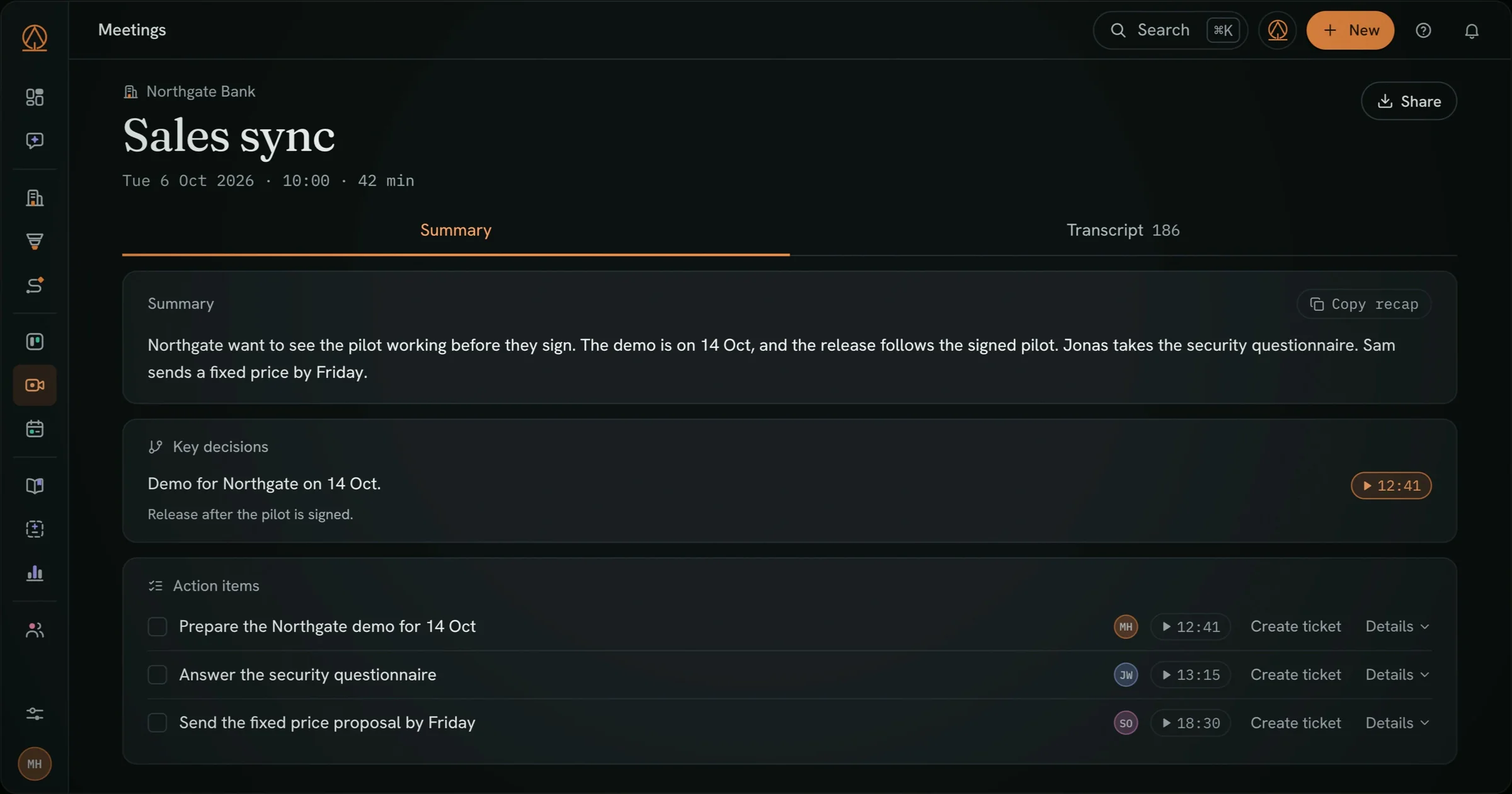
Atlas records the Teams meeting, transcribes it and writes the summary. Every decision links to the minute it was said.
 Book a demo
One workspace for the whole company
Meetings, clients, projects, documents and figures in one place, with Argo, an assistant that does the work with you.
A company’s work sits in calls, chats, inboxes, spreadsheets and shared drives.
Each decision is copied by hand from one tool to the next.
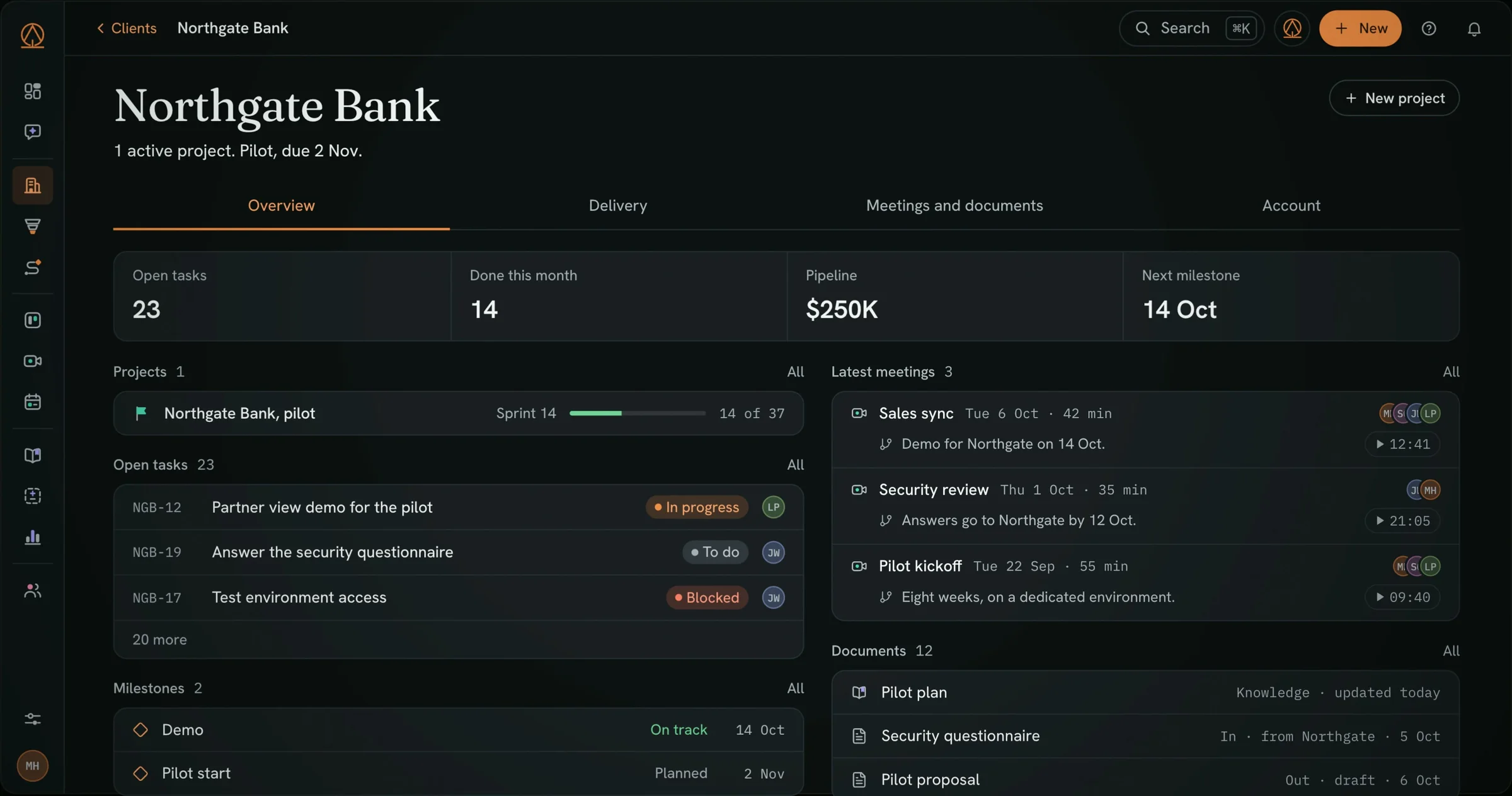
In Atlas it is one page: the client, its deals, projects, meetings and documents.
Six areas of a company in one workspace. Every module reads and writes the same records, so nothing is copied from one tool to another.
From the first call with a client to the deck you send them, on real Atlas screens.
Meetings
Atlas records the Teams meeting, transcribes it and writes the summary. Every decision links to the minute it was said.
Suggestions
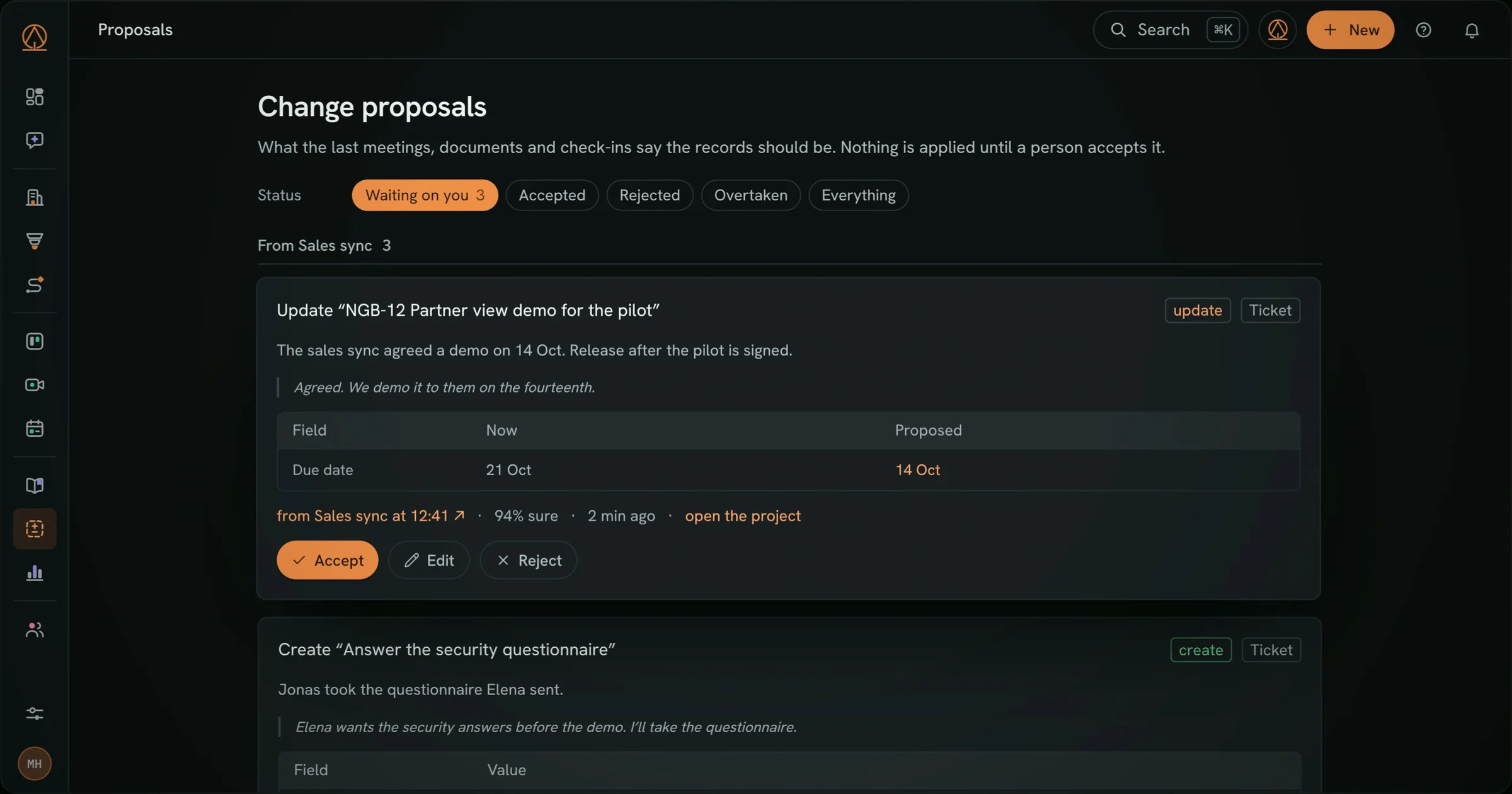
After a call, Atlas suggests the updates: a new date, a ticket, a note on the client. Nothing in the record changes until someone accepts.
Clients and sales
Leads, deals, projects, meetings and documents for each client, from the first call to the first project.
Plan and Brief
Milestones with a forecast date, and a Brief that marks what is late, waiting, overloaded or not recorded.
Work
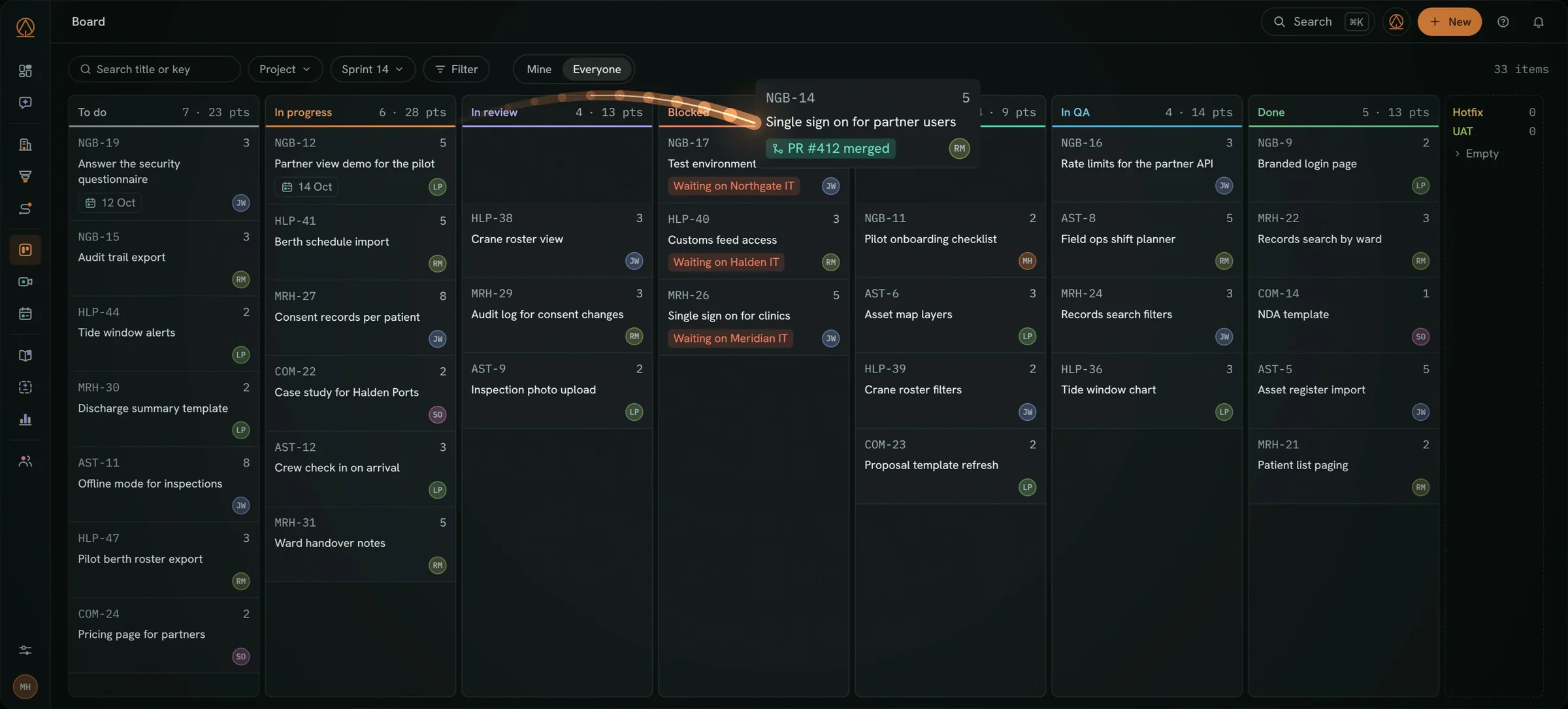
Plan the work, run sprints and a daily standup. A merged pull request moves its own ticket.
Calendar and booking
Share a link and guests book a Teams meeting in a free slot. Standing links, round robin across hosts, buffers and questions for the guest.
Knowledge
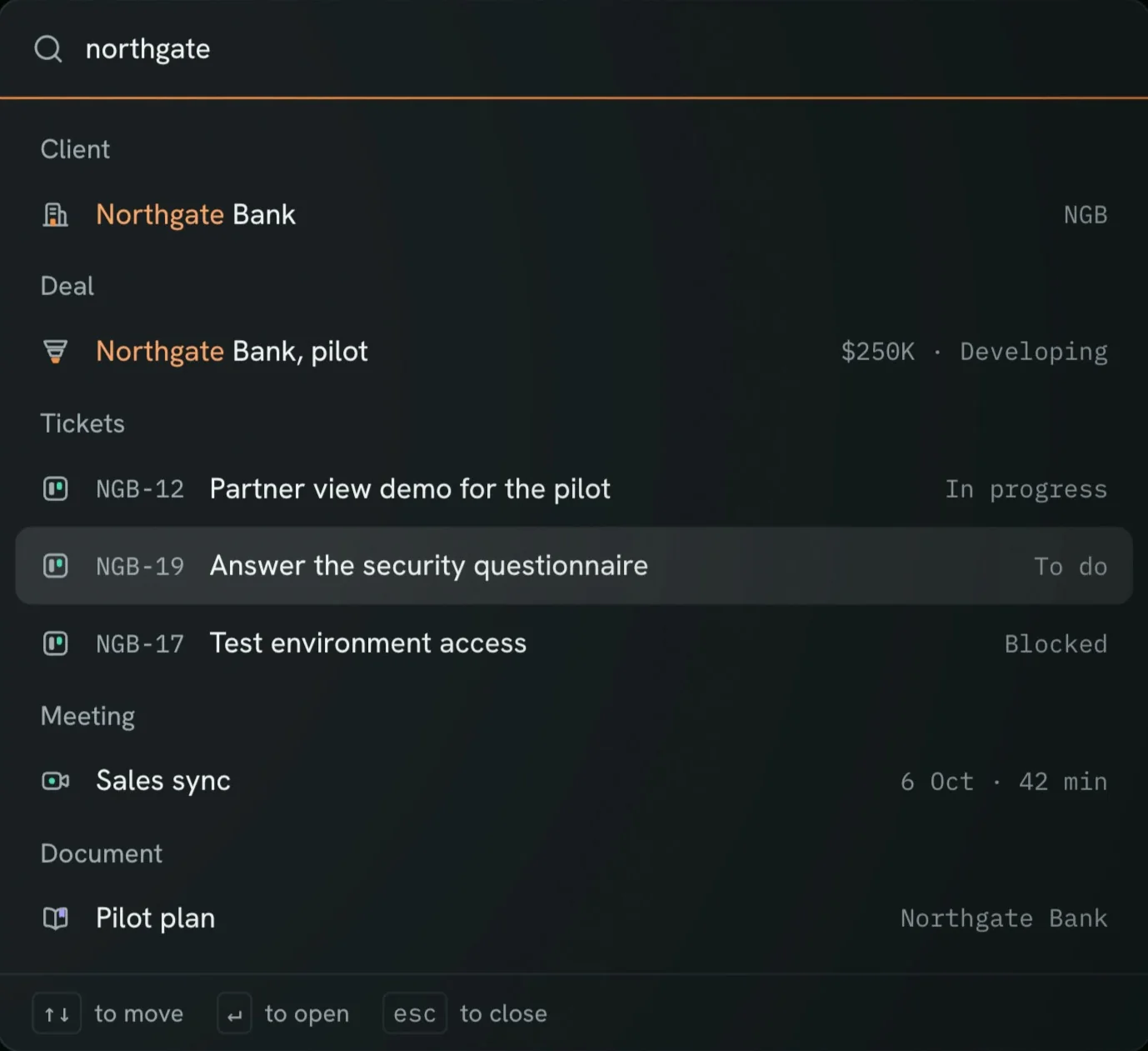
Find a client, a ticket, a meeting or a document by its words or its meaning, across the knowledge base, SharePoint and OneDrive.
Presentations
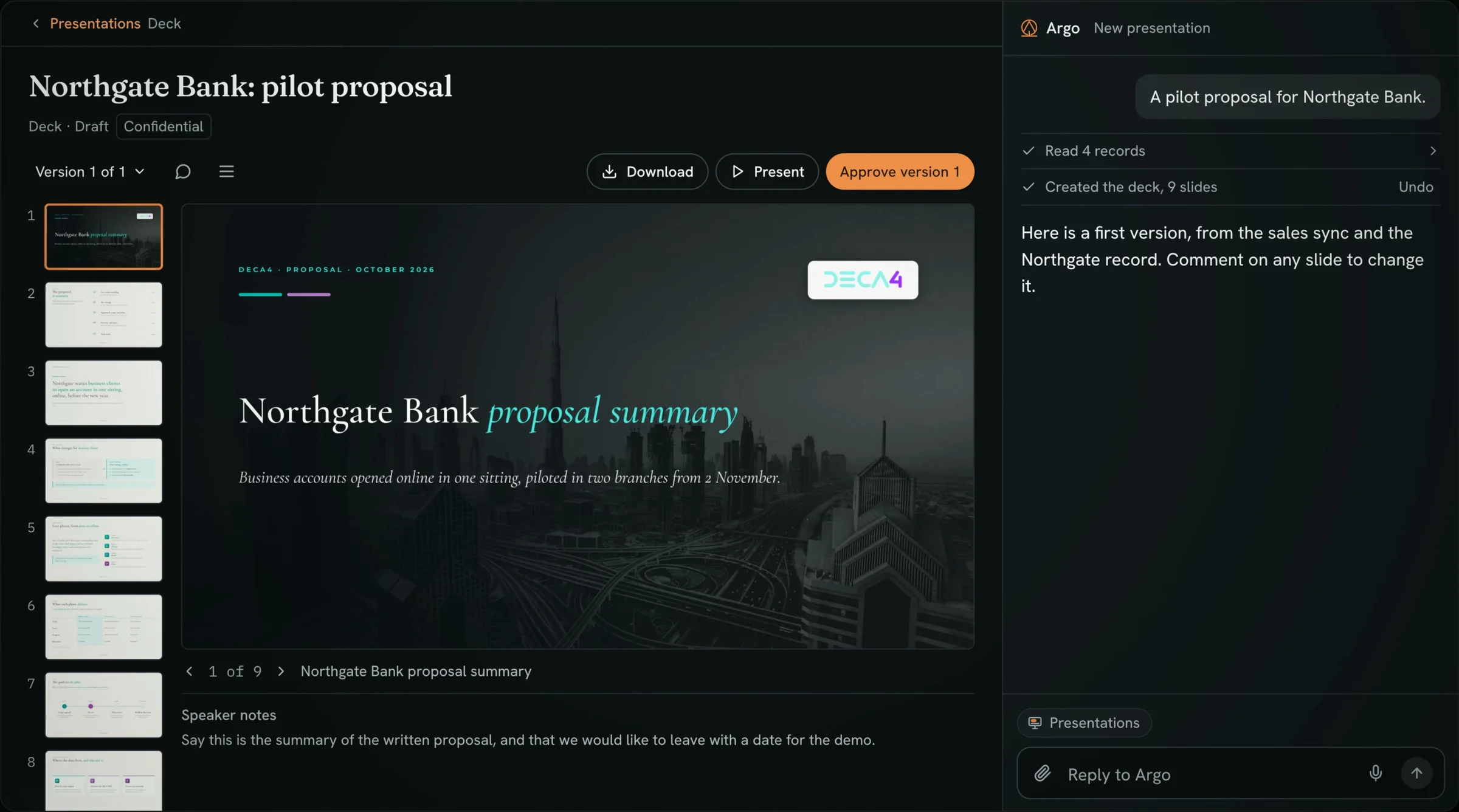
Argo writes the deck on the company template from the meetings and records. Comment on a slide and Argo makes the change. Download as PDF or PowerPoint.
Spreadsheets
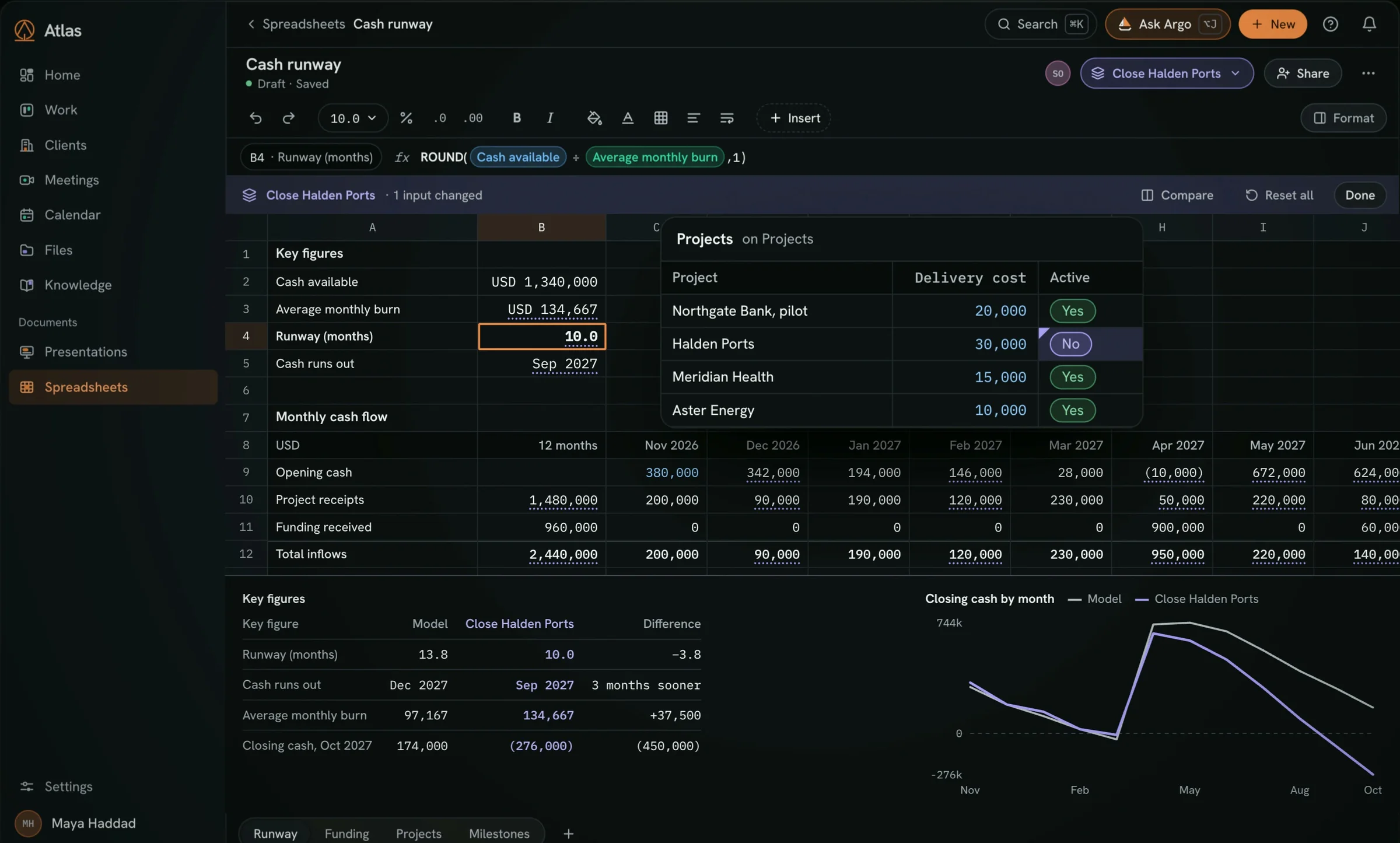
Formulas, live figures from Atlas and what-if scenarios beside the model. Excel and CSV files open as they are.
Analysis
Charts are computed under each viewer’s own access, so everyone sees only the figures they are allowed to see.
The assistant inside Atlas
Ask in plain words, typed or spoken. Argo reads the record first, then does the work in Atlas with the access of the person asking. Every change can be undone for a day.
NGB-20Prepare the Northgate demo, due 14 OctMHNGB-21Fixed price for the pilotSONGB-22Data residency answer for ElenaJWCOM-37Intro document for each dealLPCOM-38PowerPoint export of the proposalRMCOM-40Partner onboarding checklistSOThe same assistant, with the same access, wherever people already are.
It reads and changes Atlas as the person asking, with exactly their access.
Each team asks in its own words. Argo answers from the record, as the person asking.
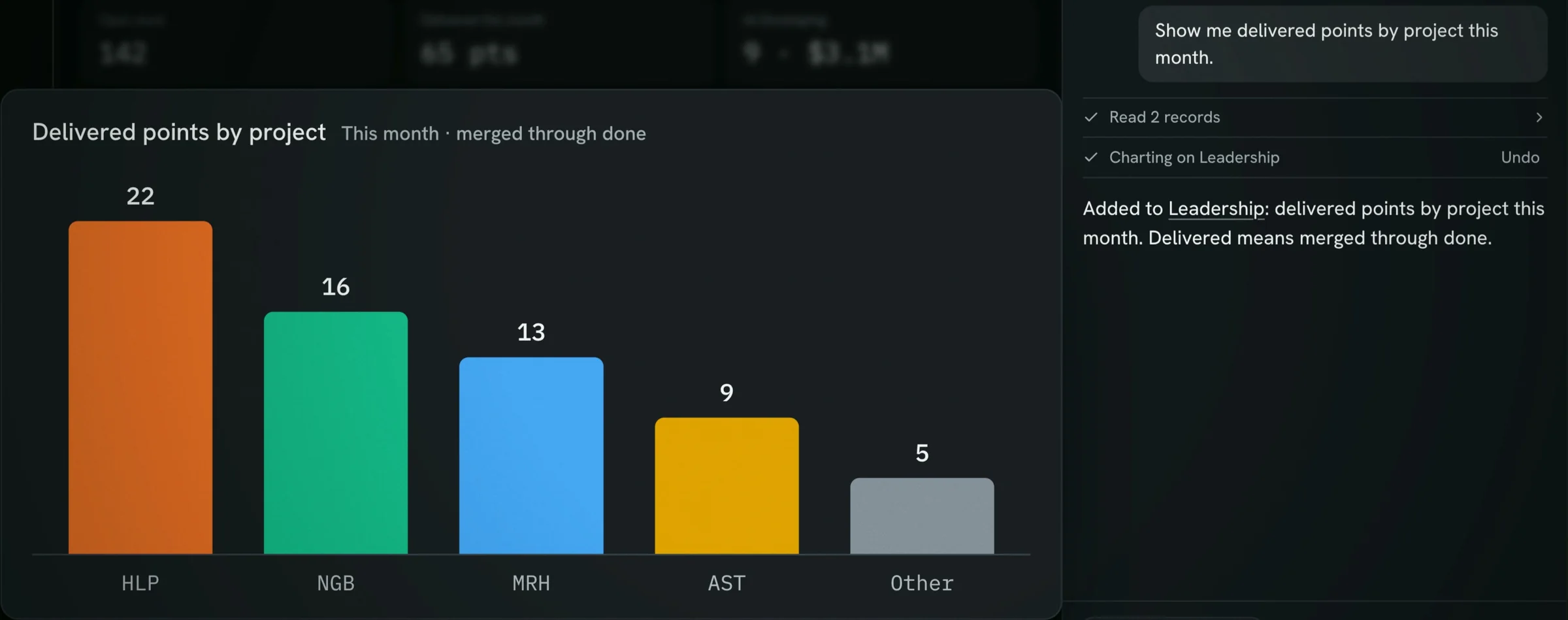
“Chart delivered points by project this month.”
Argo builds the chart from delivered tickets and adds it to the Leadership dashboard.
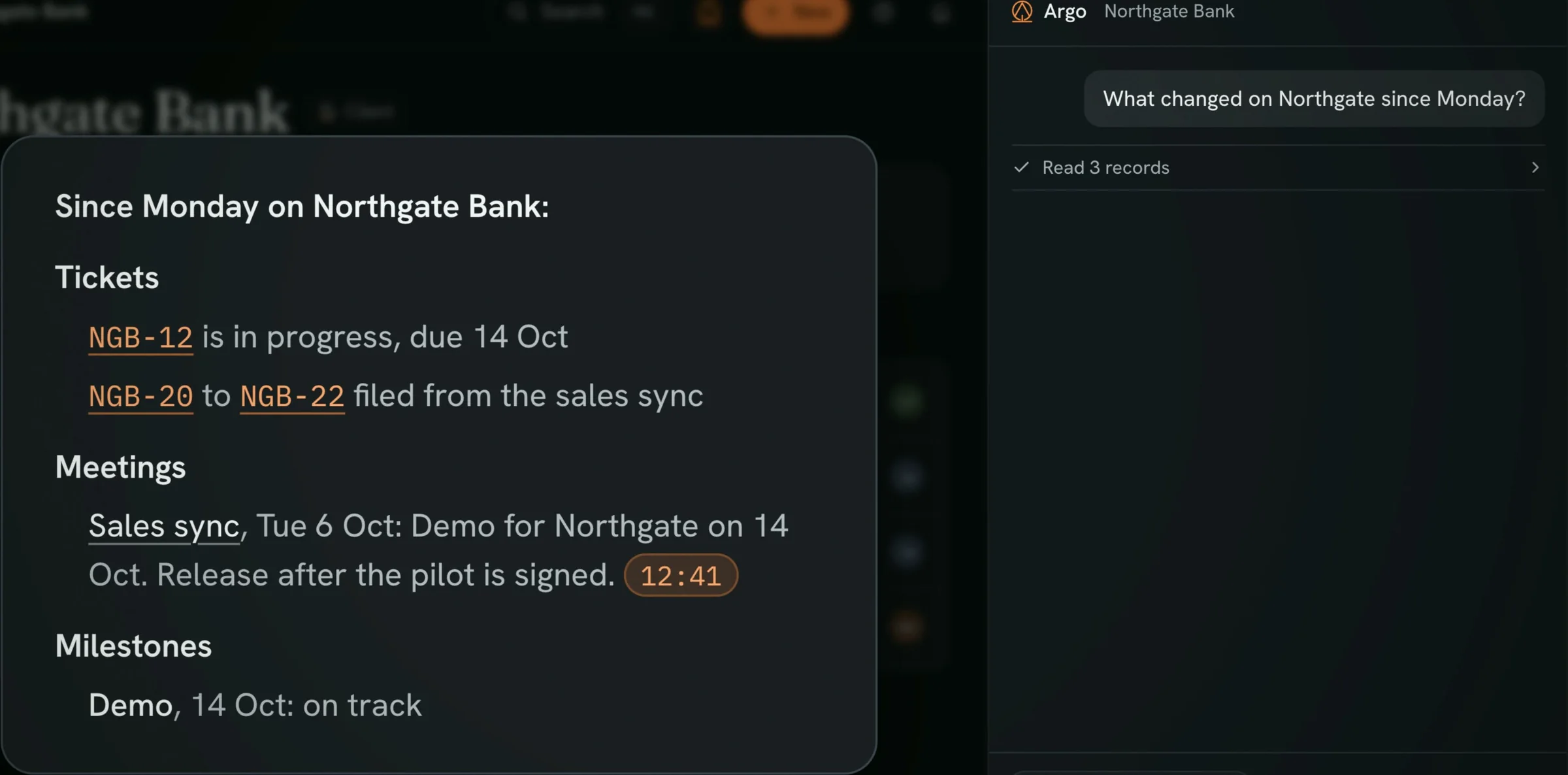
“What changed on this client since Monday?”
Argo lists the tickets, meetings and milestones that changed, each linked to its record.
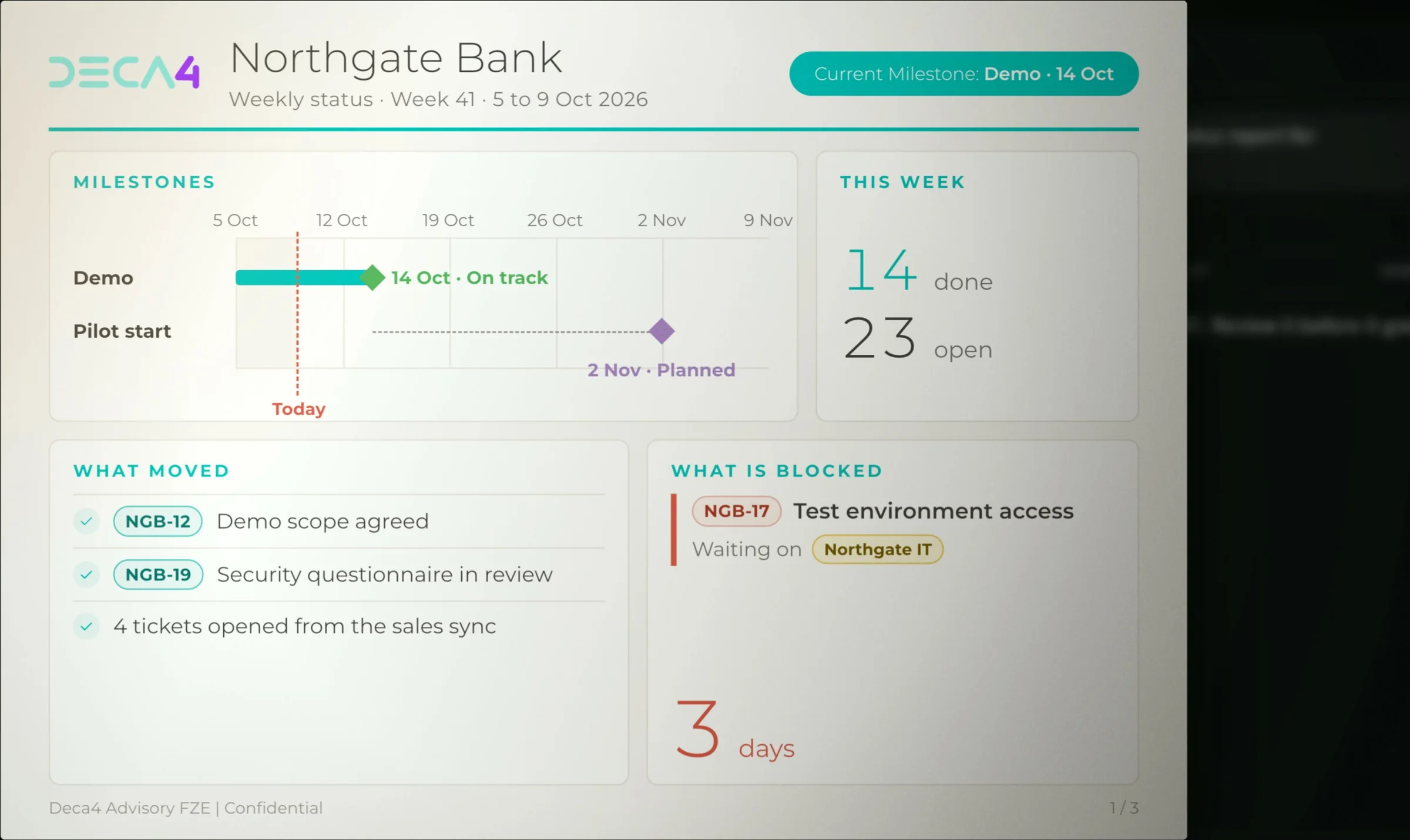
“Draft this week’s status report for the client.”
Argo drafts the report from the board, the meetings and the milestones in about 15 seconds, on the company template.
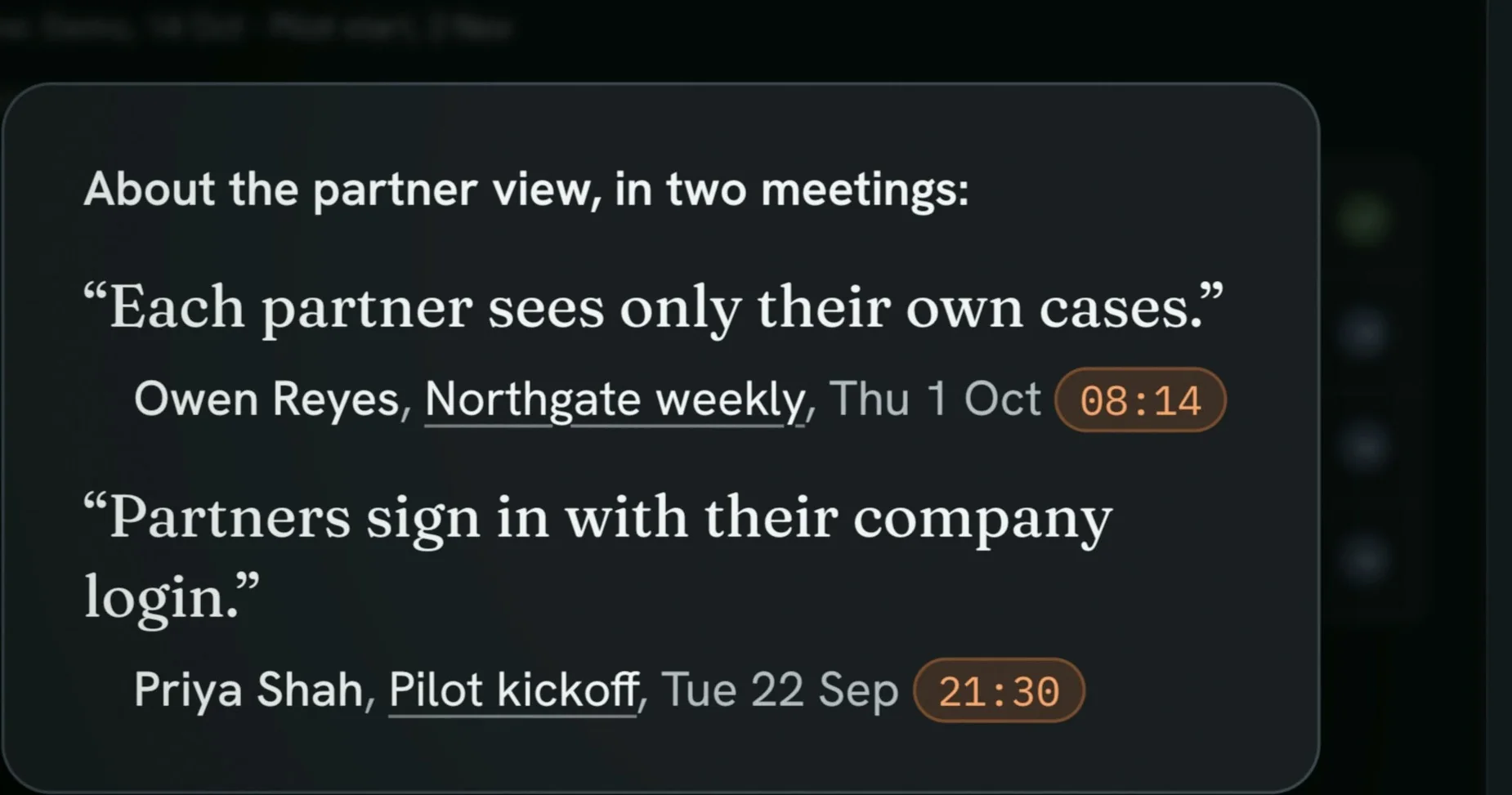
“What did the client say about the partner view?”
Argo quotes the client from two meetings, with the minute of each quote.
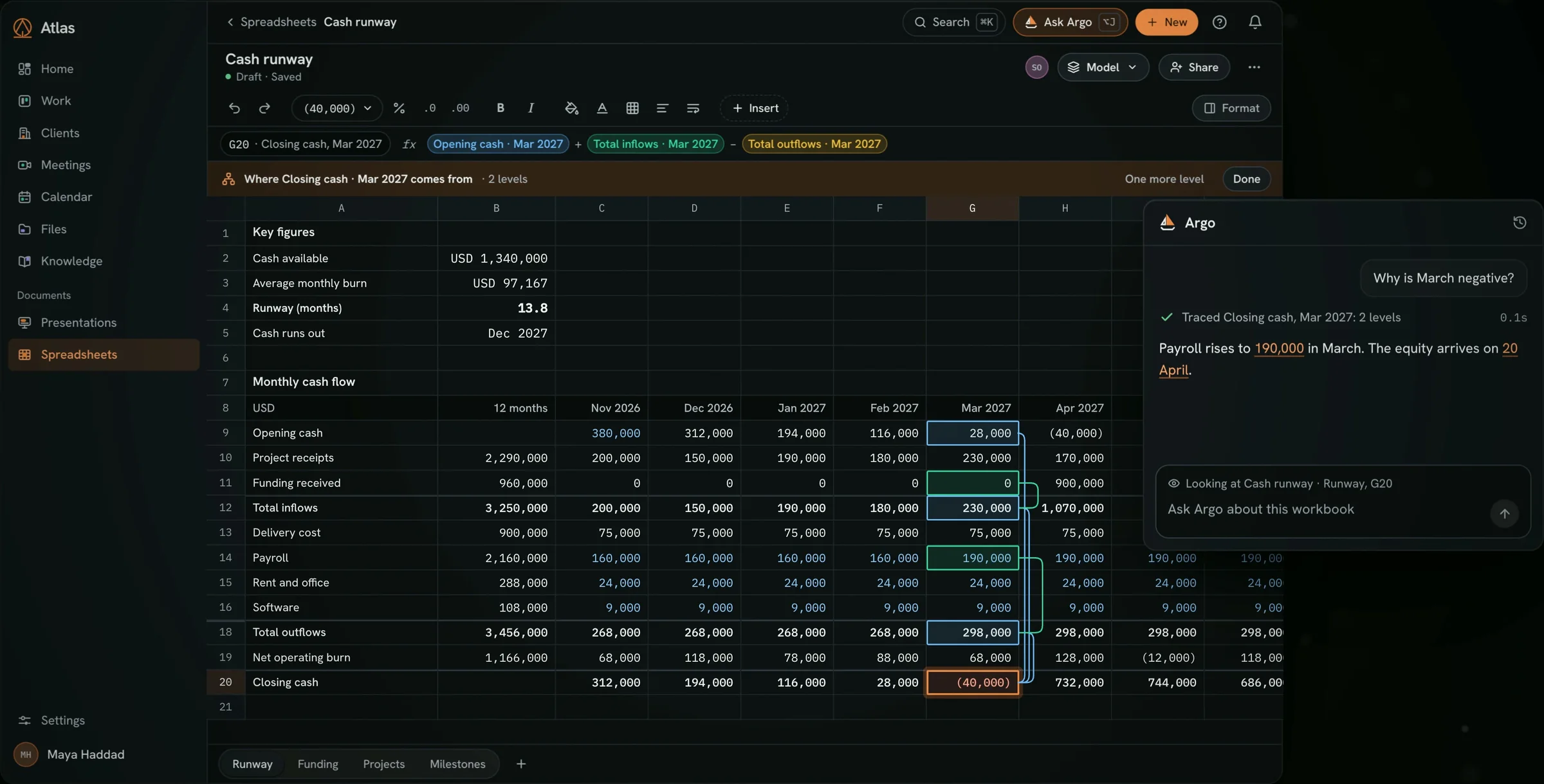
“If we close this project, what happens to the runway?”
Argo runs the scenario in the spreadsheet and explains which figures move.
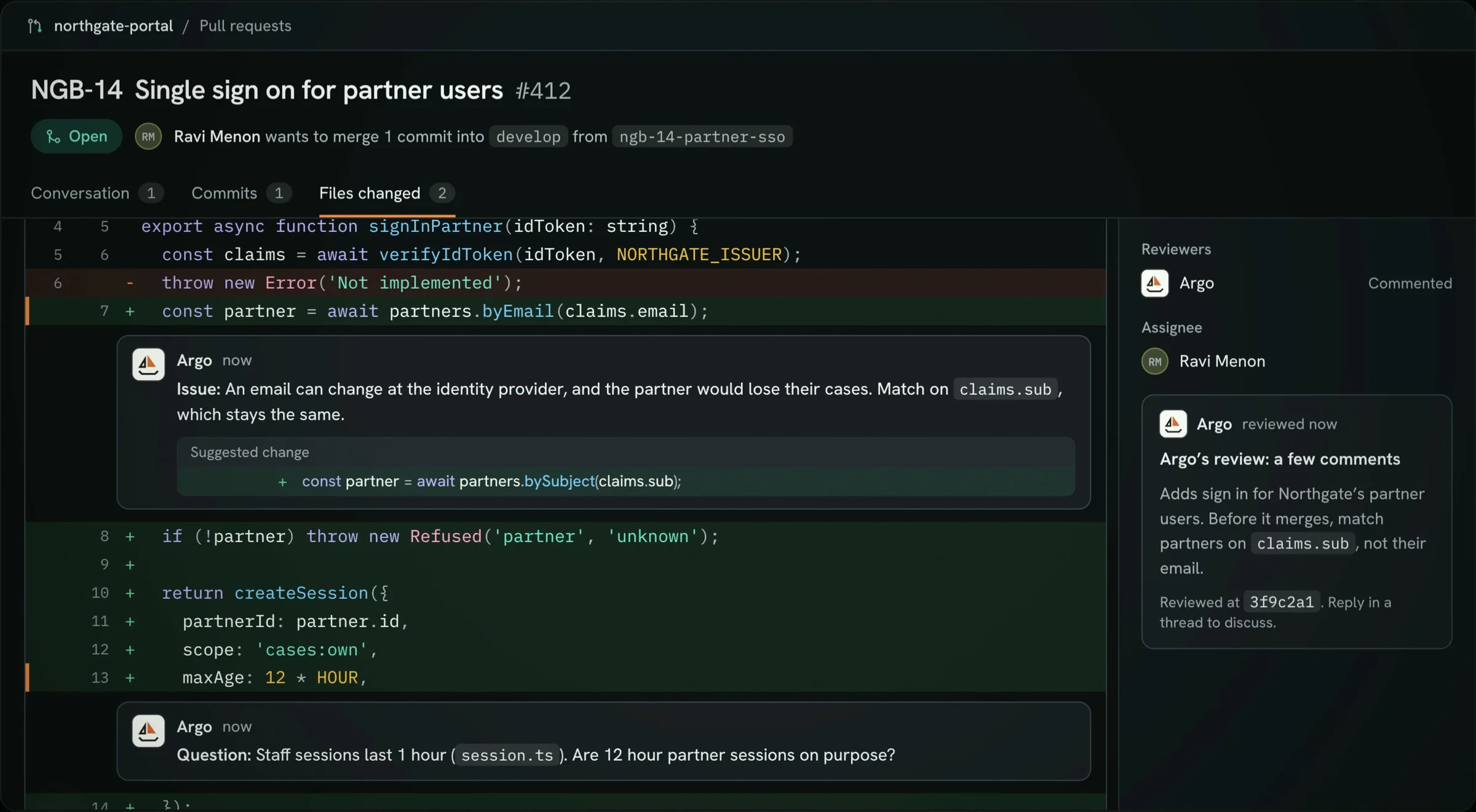
“Review the partner sign-in pull request.”
Argo reviews each pull request about three minutes after the push and comments on the exact lines. A person approves.
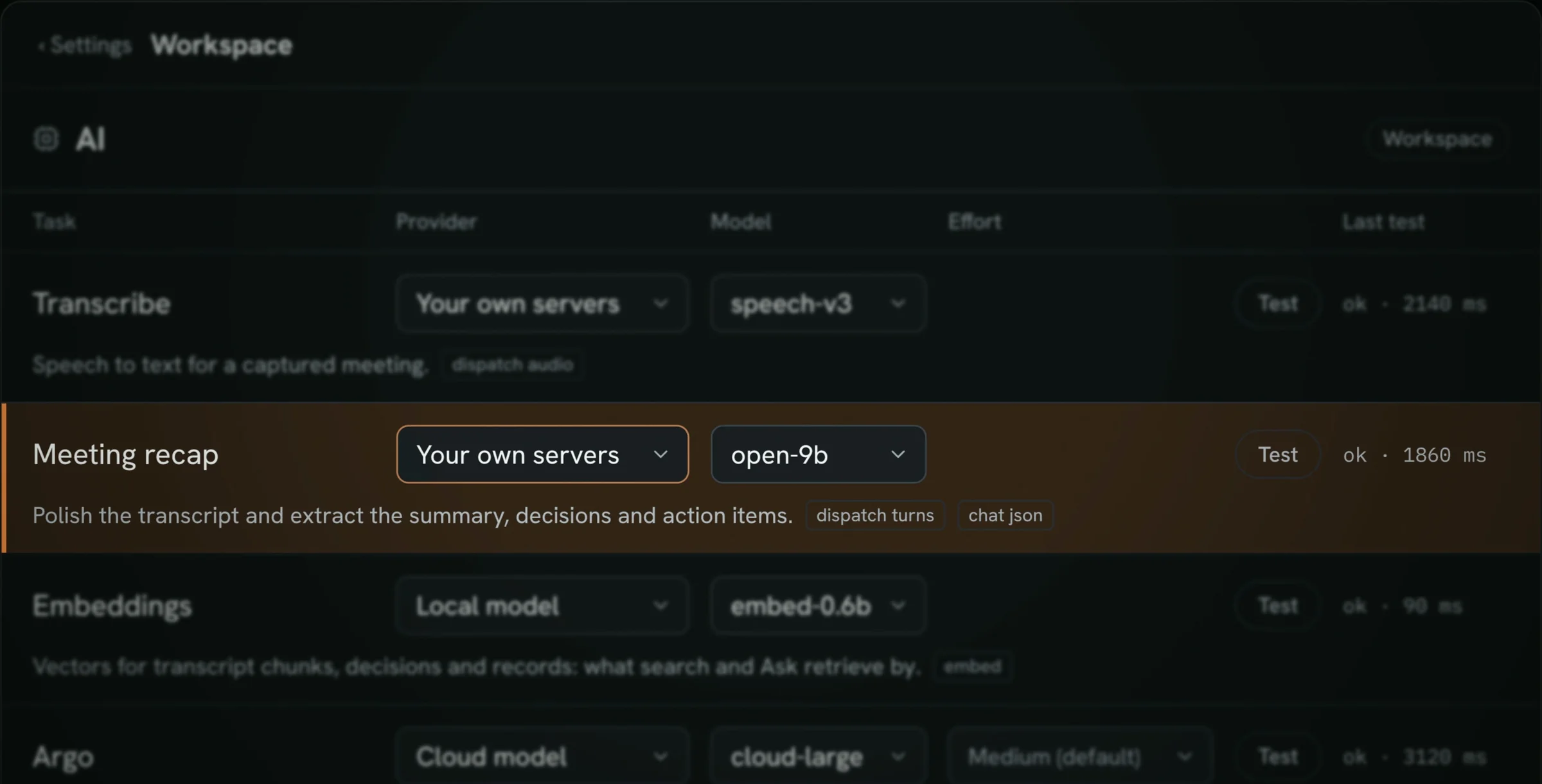
The company decides where its data lives, which AI model runs each task and who sees what.
Recordings and transcripts stay on the company’s own infrastructure. Microsoft is used for sign-in and the calendar.
Transcription, recaps and Argo each run on the model the company picks: its own servers, a local model or the cloud.
Departments decide who sees money and the sales pipeline. Argo sees only what the person asking may see.
For a day, one change at a time or all at once. Argo asks before anything that matters.
Every module on the same records
A call with the Deca4 team. We show Atlas and Argo on the kind of work your company does.
Choose a time